
Transform your Career with
SQL Server Training in Hyderabad
Join the Best SQL Server Training in Hyderabad at Vinay Tech House and learn to write SQL queries, manage databases, and design scalable data solutions. This course offers real-time project experience, expert-led sessions, and practical exposure to database administration and performance tuning. Ideal for aspiring data analysts, BI developers, and backend engineers.
Over 300+ reviews

Get a Free Demo
What is SQL Server?
SQL Server is a powerful relational database management system developed by Microsoft that helps organizations securely store, manage, and retrieve large volumes of data. It supports a wide range of applications, from small business solutions to enterprise-level systems. SQL Server provides tools for writing queries, managing databases, creating stored procedures, and ensuring data integrity and security. It is widely used across industries and forms the foundation for business intelligence, reporting, and data analytics with tools like Power BI and Azure Data Factory.
Students can Expect
When you join our SQL Server Training in Hyderabad, you can expect:
Revisit sessions anytime access to recorded classes (1.5 years)
About SQL Server
SQL Server is a powerful relational database management system (RDBMS) developed by Microsoft. It is widely used across industries to store, manage, and retrieve large volumes of data securely and efficiently. From small businesses to large enterprises, SQL Server plays a key role in powering data-driven applications.
In this course, you will learn how to:
Write and optimize SQL queries
Design and manage databases
Create and use stored procedures, views, and triggers
Perform backups and restore operations
Understand real-world use cases and scenarios
What Will You Learn?
- Writing efficient SQL queries using T-SQL
- Database design and normalization concepts
- Managing tables, indexes, and views
- Creating stored procedures, triggers, and functions
- Backup, restore, and security management
- Working with SQL Server Management Studio (SSMS)
- Introduction to SQL Server Integration Services (SSIS)
Career Opportunities After SQL Server Training
SQL Server expertise opens doors to multiple career paths, such as:
Database Administrator (DBA): Manage, monitor, and maintain databases to ensure smooth operation.
Data Analyst: Extract insights from data using SQL and build reports.
Business Intelligence Developer: Create data models and reports using SQL Server tools and integrate with Power BI.
ETL Developer: Design and implement data workflows using SSIS to move and transform data across systems.
Backend Developer: Build data-driven applications with efficient database integration.
Who should learn SQL SERVER?
Graduates
Any graduate wanting to build skills in data management and querying
Working Professionals
Working professionals seeking to upgrade skills or switch to IT and data roles.
Data professionals
seeking to grow in roles like Data Analyst, BI Developer, or Database Administrator
Available Modes
For only Recorded Sessions / Corporate Training, Contact us at +91 9859831831
SQL Server Course Features
Learn SQL Server in Hyderabad – From Basics to Advanced

Expert Trainers
Learn from certified professionals with real-world industry experience.
Comprehensive Curriculum
Learn SQL Server from basics to advanced topics, including queries, stored procedures, and data tools like SSIS and SSRS.
Hands-On Real-Time Projects
Work on live datasets and industry-relevant projects to gain practical experience.
Placement Assistance
Get help with resume building, interview preparation, and job placement support.
Certification
Receive a recognized Power BI certification upon successful course completion.
Lifetime Support
Access course materials and get your doubts cleared even after the course ends.
CURRICULUM
✓ Data Fundamentals
- What is Data and Data Formats
- Data Storages
- Structure Data Presence in Database
- On Premises and Cloud Data Storages
- Database Providers and Products
✓ SQL Fundamentals
Sql Use in different Platforms
- Frontend Applications
- Business Intelligence
- Data Engineering
- Data Science
How To Interact wit Different Database by using Sql
Opportunities with Sql
✓ Versions and Editions in SQL Server
✓ Editions of SQL Server
- Enterprise Edition
- Standard Edition
- Developer Edition
- Work Group Edition
- Express Edition
✓ Features of Sql Server
✓ IDES in Sql Server
✓ Sql Server Tools
- Database
- SSIS
- SSRS
- SSAS
✓ SQL Server Database Installation
✓ Server Name, Instance and Authentication
✓ Installation Summary
✓ Sql Server Management Studio Installation
- Object Explorer
- Query Editor
✓ Sql Server Connections with SSMS
- Single instance
- Multi instance
✓ System Defined Databases and Usage
- Masterdb
- Msdb
- Modeldb
- Tempdb
✓ User Defined Database Creation and Usage
✓ Mdf, Ldf and Ndf Files
✓ Basic Operations on User Defined Tables
- Create User Tables
- insert Data
- Update Data
- Delete Data
✓ Difference Between Query and Command
✓ Query and Command Execution in Sql Server
✓ Parser, Compiler, Optimizer, Syntaxer and CLR
✓ Storage Engine [Sql Engine]
✓ Lock, File, Transaction Manager and Buffer Manager
✓ Buffer and Threads
✓ Create Table Structure
✓ Modify Table Structure
- Alter Add
- Alter Alter
- Alter Modify
✓ Remove Data and Structure from Tables
✓ Select Into Command
✓ Truncate and Drop Difference
✓ Sql Server Datatypes
✓ Data Loading into Tables
✓ Single Row, Multi Row and Required Column Insert into Tables
✓ Modify Table Date
✓ Remove Data from Tables
✓ Difference Between Truncate, Delete and Drop
✓ Bulk Insert
✓ Merge Command Operations
✓ Insert Table Data from Another Table
✓ Data Loading into Tables
✓ Single Row, Multi Row and Required Column Insert into Tables
✓ Modify Table Date
✓ Remove Data from Tables
✓ Difference Between Truncate, Delete and Drop
✓ Bulk Insert
✓ Merge Command Operations
✓ Insert Table Data from Another Table
✓ Providing privileges [GRANT]
✓ Removing privileges [REVOKE AND DENY]
✓ Implicit and Explicit Grants
✓ Providing privileges [GRANT]
✓ Removing privileges [REVOKE AND DENY]
✓ Implicit and Explicit Grants
✓ Working with Select Statement
✓ Clauses
• From
• Where
• Group By
• Having
• Order By
✓ Single Value Match Operators
• Artha Matic Operators
+, -, *, %, /
• Comparison Operators
<, >, <=, >=, =, <>, !=
• Logical Operators
AND, OR, NOT
✓ Multi Value Match Operators
• In Not In
• Between Not Between
• Like Not Like
• Exists Not Exists
• Is Null Is Not Null
✓ Working With TOP
✓ Set Theory Generic Protocols
✓ Intersect
✓ Union
✓ Union All
✓ Except
✓ Working On Incremental Loading
✓ Simple Sub Query
✓ Correlated Sub Query
✓ Nested Sub Query
✓ Difference Between Simple and Correlated Sub Query
✓ Joins In Realtime Usage
✓ Cross Join and Cross Apply
✓ Inner Join [Equi, Non Equi]
✓ Natural Join
✓ Self-Join
✓ Left Outer Join
✓ Right Outer Join
✓ Full Outer Join
✓ Anti Left Outer Join
✓
✓ Anti Right Outer Join
✓ Working on ON and WHERE Clauses
✓ Merge Join
✓ Loop Join
✓ Hash Join
✓ Domain Integrity
- Not Null
- Default
- Check
✓ Entity Integrity
- Primary Key and Limitations
- Unique and Limitations
✓ Referential Integrity
- Foreign Key
✓ Kyes
- Composite Key
- Candidate Key
- Alternate Key
- Super Key
- Artificial Key
✓ Normal Column and Identity Column
✓ Cascading
- On Delete Cascade
- On Update Cascade
- ON Delete Set NULL
- On Update Set NULL
- On Delete Set No Action
✓ What is Normalization
✓ Types Of Normalization
✓ 1: 1, 1: Many, Many to Many Relations
✓ Business, Conceptual, Logical, Physical Data Model
✓ Dimension, Fact Tables
✓ Dimension Model Schemas [ Star, Snowflake, Galaxy]
✓ Entity Relational Model [OLTP]
✓ Dimension Model [OLAP]
✓ Clustered Index Design and Structure
✓ Non-Clustered Index Design and Structure
✓ Unique Index Design
✓ Index with Included Columns
✓ Column Storage Index
✓ Full-Text Index Population
✓ Filtered Index Design
✓ Covering Index Design
✓ B-Tree and Online Indexes
✓ Index View Vs Materialized Views
✓ Fill Factor, TEMPDB, Pat Index
✓ What Is Schema and Realtime advantages with practical
✓ System Defined Procedures Usage with Example
- Sp_Help, Sp_HelpText, Sp_Rename, Sp_Tables, Sp_Who2, Sp_Who
- Sp_Spaceused, Sp_Statistics, Sp_ForeignKeys
✓ System Defined Views Usage with Example
- Sys.Servers, Sys.Database, Sys.Objects, Sys.Schemas, Sys.View, Sys.Indexes
- Information_Schema. Tables, Information_Schema.Columns
✓ Difference Between Group by and Distinct, Performance Impact
✓ Group By and Having Usages to Identify and Eliminate Duplicates
✓ Rollup And Cube
✓ Creating Full Totals and Sub totals
✓ Comparing Rollup, Cube and Group Functions
✓ Advantages and Limitations of Views
✓ Tables Vs Views
✓ Simple Views [Modifiable View]
✓ Complex Views [Read Only View]
✓ Materialized Views
✓ Encypted Views, Schema Binding Views
✓ Advantages and Limitations of Functions
✓ System Defined Functions
• String Functions
ASCII LEN RTRIM
CHAR LOWER SPACE
CHARINDEX LTRIM STR
CONCAT NCHAR STUFF
CONCATE WITH + PATINDEX SUBSTRING
DATALENGTH REPLACE UPPER
LEFT RIGHT
• Aggregate Functions
AVG BINARY_CHECKSUM CHECKSUM
CHECKSUM_AGG COUNT COUNT_BIG
GROUPING GROUPING_ID MAX
MIN STDEV STDEVP
SUM VAR VARP
• Configuration Functions
DATEFIRST DBTS LANGID
LANGUAGE LOCK_TIMEOUT MAX_CONNECTIONS
MAX_PRECISION NESTLEVEL OPTIONS
REMSERVER SERVERNAME SERVICE NAME
SPID TEXTSIZE VERSION
• Cursor Functions
CURSOR_STATUS CURSOR_ROW FETCH_STATUS
• Date and Time Functions
CURENT_TIME STAMP DATEADD DATEDIFF
DATENAME DATEPART DAY
GATDATE GATUTCDATE ISDATE
MONTH SYSDATETIME SYSDATETIMEOFFSET
SYSUTCDATETIME SWITCHOFFSET TODATETIMEOFFSET
YEAR
• Mathematical Functions
ABS ACOS ASIN
ATAN ATN2 CEILING
COS COT DEGRESS
EXP FLOOR LOG
LOG10 PI POWER
RADIANS RAND ROUND
SIGN SIN SQRT
SQUARE TAN
• Other Functions
APPNAME CAST COALESCE
CONVERT CURENT_USER DATALENGTH
GETANSINULL HOST_ID HOST_NAME
IDENT_CURRENT IDENT_INCR IDENT_SEED
IDENTITY ISNULL ISNUMARIC
NEWID NULLIF PARSENAME
PERMISSIONS ROWCOUNT ROWCOUNT_BIG
SCOPE_IDENTITY SESSION_USER STATEM_USER
TRANCOUNT USER_NAME
✓ System Defined Window Functions
• Intro to window functions
• Basic windowing syntax
• The usual suspects: SUM, COUNT, and AVG
• ROW_NUMBER ()
• RANK () and DENSE_RANK ()
• NTILE
• LAG and LEAD
• Defining a window alias
✓ User Defined Functions
• Scalar-valued Functions
• Table-valued Functions
✓ Difference Between Functions and Procedures
✓ Variable Declarations and Assignments
✓ Basic syntax
✓ Conditional Statements
✓ Multi Branching Conditional Statements
✓ Iterative Statements
✓ Exception/ Error Handling
✓ Use in Real Time and Types
✓ System Defined and User Defined Procedures
✓ Dynamic Sql Quires in Procedures
✓ In, Out, InOut Parameters
✓ Dynamic Data Insertion with Procedures
✓ Using TEMP Tables in Procedures
✓ Stored Procedure inside Stored Procedure
✓ Local Variables Vs Global Variables with Example
✓ Table Valued Variables
✓ Temporary Table Usage in Real Time
✓ Inline Views Vs Normal Views
✓ Common Table Expressions
✓ CTE usage in Real Time
✓ Multiple Examples using CTE
✓ Duplicate Finding and Removing
✓ Non-Recursive and Recursive CTE
✓ Use in Real Time
✓ Triggers Vs Procedures
✓ Types Of Triggers
✓ DML Triggers
✓ DDL Triggers
✓ FOR Triggers
✓ INSTEAD Of Triggers
✓ What is Cursor.
✓ Cursor Life Cycle
✓ Working Process of Cursor.
✓ Creating Dynamic SELECT Statements.
✓ Passing Dynamic Table Names
✓ Create a Procedure with Dynamic Table Names and Varables
✓ Normal SQL Vs. Dynamic SQL
✓ Project Explanation
✓ Day to Day Activities
✓ Real Time Database Environment
✓ Challenges
✓ Performance Tuning
SQL Server Training in Hyderabad
Advantages of Learning SQL Server Training in Hyderabad
Learning SQL Server offers multiple benefits for individuals aiming to build a strong foundation in data management, business intelligence, and backend development. Here’s why SQL Server training in Hyderabad at Vinay Tech House can be a game-changer:
Widely Used for Data Management: SQL Server is one of the most popular relational database management systems used across various industries for handling structured data efficiently.
Strong Querying Capabilities: With SQL, you can write powerful queries to retrieve, manipulate, and analyze data quickly and accurately.
Supports Business Intelligence Tools: SQL Server seamlessly integrates with tools like Power BI and SSRS, making it a core part of any business intelligence solution.
Enterprise-Level Performance: Designed by Microsoft, SQL Server is capable of supporting high-volume transactions and complex database systems in large organizations.
Secure and Scalable: It offers advanced security features, user management, and scalability options suitable for growing businesses and applications.
Graphical Tools for Easy Management: SQL Server Management Studio (SSMS) offers a user-friendly GUI for database design, monitoring, and query execution.
Real-Time Use Cases and Projects: Our training at Vinay Tech House includes real-world projects and case studies, helping learners apply theoretical knowledge in practical scenarios.
Better Career Opportunities: SQL Server knowledge opens doors to roles like Database Administrator, Data Analyst, BI Developer, and Backend Developer in both startups and MNCs.
Why Choose SQL Server Training in Hyderabad at Vinay Tech House?
Vinay Tech House offers a comprehensive SQL Server Training program in Hyderabad, designed with real-time scenarios to provide hands-on experience and practical learning.
Access to real-time case studies to strengthen your understanding of SQL Server concepts.
Personalized training sessions tailored to your learning preferences, led by experienced industry professionals.
All sessions are recorded for future reference and self-paced revision.
Flexible batch timings, including fast-track and weekend options, to suit working professionals and students.
Affordable and flexible payment plans to support your learning journey without financial stress.
Frequently Asked Questions
SQL Server Training in Hyderabad
Microsoft SQL Server is a robust and scalable relational database management system (RDBMS) widely used across industries for storing, managing, and retrieving structured data efficiently. SQL Server offers a comprehensive platform for building, deploying, and maintaining mission-critical applications, making it an essential tool in the world of data management.
To equip you with the skills to leverage SQL Server’s capabilities effectively, D.A.B.I Training Institute offers comprehensive SQL Server course training, Online & Offline. The programs covers everything from database fundamentals to performance tuning. By enrolling in our SQL Server training, you’ll gain experience and industry-relevant knowledge, positioning yourself as a valuable asset in the field of data-driven decision-making.
We’ve got you covered. We record Daily Live Classes and share the records everyday. You can watch at your own time, practice and ask the trainer any queries you have
The primary purpose of Microsoft SQL Server is to provide a robust and scalable relational database management system (RDBMS) that enables organizations to store, manage, and retrieve data efficiently. SQL Server serves as a centralized repository for structured data, offering a comprehensive set of tools and features to support various data management tasks and applications.
The primary purpose of Microsoft SQL Server is to provide a robust and scalable relational database management system (RDBMS) that enables organizations to store, manage, and retrieve data efficiently. SQL Server serves as a centralized repository for structured data, offering a comprehensive set of tools and features to support various data management tasks and applications.
SQL Server training opens doors to a thrilling IT career path. If you’re passionate about data management, aspire to build robust applications, or prioritize information security, this training arms you with the essential skills to embark on a rewarding journey in the ever-evolving IT landscape.
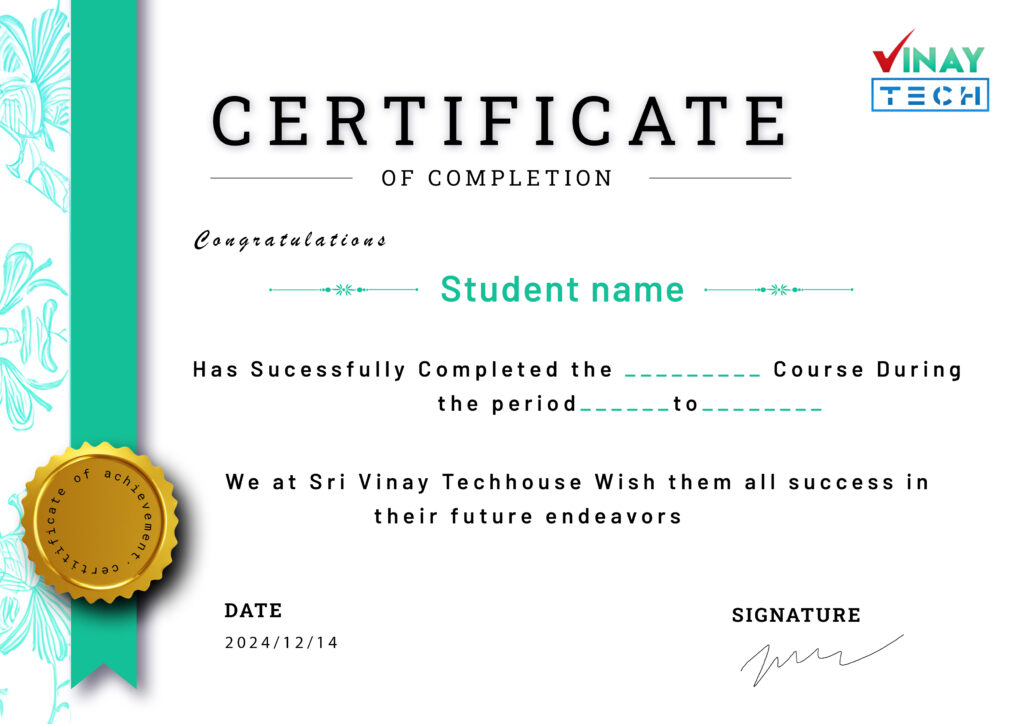
Get certified by VinayTech
Upon successful completion of the course, you will receive a Vinay Tech Course Completion Certificate. This certification enhances your resume and can significantly boost your chances of securing top job roles in leading multinational companies (MNCs). The certificate is available both as a digital copy and a printable hard copy, providing flexibility based on your needs.
Our Learners Work At