
Transform your Career with
Power Platform Training
Learn Power Platform Training with practical training in Microsoft Power Apps, Power Automate, Dataverse, and Copilot Studio. Develop the skills to build business applications, automate workflows, manage business data, and create AI-powered solutions using Microsoft Power Platform.
At Vinay Tech House, the training focuses on practical learning, real-time business scenarios, hands-on exercises, and project-based concepts. Whether you are a beginner, working professional, developer, business analyst, or IT professional, you can learn Power Platform online and apply these technologies to real-world business requirements.
Over 300+ reviews

Get a Free Demo
What is Power Platform?
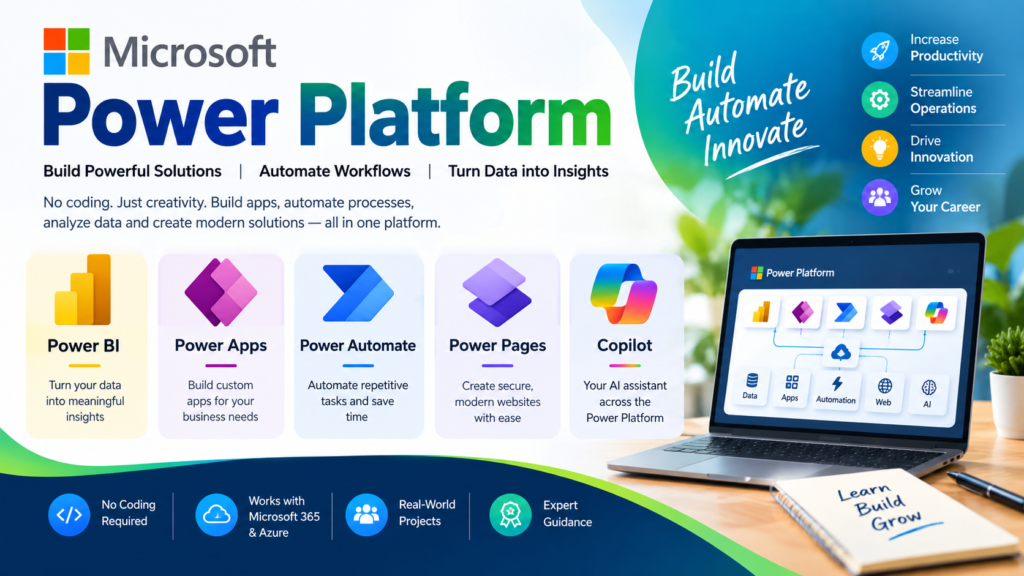
Microsoft Power Platform is a low-code and AI-powered business platform from Microsoft that helps organizations build custom applications, automate business processes, analyze data, and create intelligent AI solutions with less traditional coding. It enables businesses to turn everyday requirements into practical digital solutions.
Microsoft Power Platform includes Power Apps, Power Automate, Power BI, Copilot Studio, and Dataverse. These tools can work together to develop applications, automate workflows, manage business data, create dashboards, and build AI-powered copilots.
Students can Expect
When you join our Power Power Platform Training , you can expect:
All classes are recorded and shared so you can revisit topics anytime.
What Will You Learn?
Learn the key Microsoft Power Platform tools through practical, real-time examples:
Power Apps – Build Canvas and Model-Driven business applications
Power Automate – Create workflows, approvals, and process automation.
Power BI – Create reports, dashboards, and data visualizations
Copilot Studio – Build AI-powered copilots and business assistants
Dataverse – Store, manage, and connect business data.
Power Platform Integration – Connect apps, workflows, data, and AI solutions
Real-Time Projects – Work on practical business application scenarios
Why Learn Power Platform Now?
Learn more about Microsoft Power Platform and explore its tools for app development, workflow automation, data analytics, and AI-powered solutions.
Microsoft Power Platform combines low-code development, workflow automation, data analytics, and AI in one ecosystem. Learning it can help you build practical business solutions without relying entirely on traditional coding.
Build apps faster with Power Apps
Automate workflows with Power Automate
Create AI solutions with Copilot Studio
Manage business data with Dataverse
Analyze data with Power BI
Work with Microsoft 365 and other services through connectors
Develop practical business solutions using real-world scenarios
Build skills for modern Power Platform roles and digital transformation projects
Learning Microsoft Power Platform can help you develop skills for roles focused on business applications, automation, data, and AI solutions.
Power Platform Developer
Power Apps Developer
Power Platform Consultant
Power Platform Functional Consultant
Power Automate Developer
Business Applications Developer
Power Platform Administrator
Microsoft 365 & Power Platform Specialist
With skills in Power Apps, Power Automate, Dataverse, Power BI, and Copilot Studio, you can work on applications, automated workflows, business data solutions, dashboards, and AI-powered business solutions.
Key Benefits at Vinay Tech House
Certified instructors with real-world experience
Hands-on labs & assignments
Doubt-clearing sessions
Resume & interview prep support
Access to recordings and learning materials
Who should learn Power Platform?
Graduates
Gain practical, job-ready skills in low-code app development to boost employability in tech and business roles.
Working Professionals
Boost your skills with Power Apps to automate tasks, streamline workflows, and grow your career in digital transformation.
Career Change
Learning Power Apps lets you switch careers quickly by gaining in-demand tech skills in automation and app development.
Available Modes
For only Recorded Sessions / Corporate Training, Contact us at +91 9859831831
Power Apps Course Features

Expert Trainers
Learn from certified professionals with real-world industry experience.
Comprehensive Curriculum
Covers everything from basics to advanced topics, including app design, data connections, formula writing, and workflow automation.
Hands-On Real-Time Projects
Work on live datasets and industry-relevant projects to gain practical experience.
Placement Assistance
Get help with resume building, interview preparation, and job placement support.
Certification
Receive a recognized Power Apps certification upon successful course completion.
Lifetime Support
Access course materials and get your doubts cleared even after the course ends.
Power Platform Training
CURRICULUM
- Types of Power Apps
- Power Apps building blocks
- Power Apps Development Environment Setup
- Power Apps for Admins
- Power Apps for Developers
- Create a blank Canvas app
- Create an app from template
- Create an app from a data source (sharepoint)
- Create a Canvas app from excel
- Explanation of Canvas App Layouts
- Create a Blank Canvas App Types of Screens in Canvas App
- Canvas App Screen properties Renaming & Reorder Screen
- Navigate Functions & Its parameters
- Notify Power Apps Functions & Its Parameters
- Introduction to Power Apps Connectors
- Different Types of Connectors in Power Apps
- Build an App using MS Excel as a data source
- Introduction to Gallery, Data table
- Different Between Gallery & Data table
- Different Type of Galleries in Canvas
- Customization of the forms and Gallery controls
- What is Search Function & its parameters
- Implementation of search function
- What is sort Function & its parameters
- If – Else Condition & its Implementation
- Nested if – Else Conditions its Implementation
- Switch Conditions its Implementation
- Use Cases :
a) Modifications to data depending on user input
b) Hide and show controls based on user inputs
- What is Power Apps Variables
- What are Diff types of variables in power Apps
- Scope of Power Apps variables
- Application of Power Apps Variables
- Implementation of Dynamic sort
- Creating Custom form & using patch function for submitting Data
- Using “Updatelf” function to update a record
- Uses of Filter, LookUp & search
- Implementation cascading Dropdown Lists of Dynamic sort
- What is Collection
- How to Create and use collection(s)
- Diff between “collect” & “Clear Collect”
- Overview of Model Driven PowerApps
- What is site map, how to map Dataverse table
- Create views in model driven app
- Create forms in model driven app
- Business roles in model driven app
- Create charts in model driven app
- Create Dashboard in model driven app
- Debug Power Apps with Monitor
- Common Issues & Resolutions
- Get a session or app ID
- Change Power Apps Studio Version
- Troubleshoot startup issues for Power Apps
- Overview of Dataverse
- Different types of Tables in Dataverse
- Create a Table in Dataverse
- Views & Forms in Dataverse
- Define Relationships in Dataverse
- Use Power BI with Dataverse
- Create Power BI Report & Dashboards
- View Table data in Power BI Desktop
- Adding Power BI Reports in Power Apps
- Create Mobile & Tab views for Power BI Reports in Power Apps
- Power Apps usage as a Visual in Power BI
- What is Power Automate & Basic Examples
- Calling Power Apps in Power Automate
Advantages of Learning Power Platform Training
Versatile App Development Platform:
Power Apps allows users to build custom business applications without writing extensive code, making it ideal for streamlining business operations across industries.
Better Business Process Automation:
It helps professionals and organizations automate routine tasks, improve workflows, and increase efficiency through custom-built apps that integrate with existing systems.
Effortless App Creation:
With its drag-and-drop interface and pre-built templates, Power Apps enables quick development of apps tailored to specific business needs—no deep coding expertise required.
Powerful & Interactive User Experience:
Power Apps allows you to create visually appealing, responsive apps that work seamlessly on web and mobile, delivering a consistent and engaging user experience.
Enterprise-Grade Platform:
Backed by Microsoft, Power Apps ensures top-tier security, compliance, and scalability, with deep integration into the Microsoft ecosystem including Office 365, SharePoint, and Azure.
User-Friendly Interface:
The intuitive visual designer makes app development accessible to both non-developers and IT professionals, reducing reliance on traditional development cycles.
Multi-Purpose Utility:
From HR onboarding tools to sales dashboards and inventory tracking, Power Apps can be customized to suit the unique needs of different departments and industries.
Seamless Data Integration:
Power Apps connects easily with hundreds of data sources including Microsoft Dataverse, SQL Server, Excel, Dynamics 365, SharePoint, and various third-party APIs.
Superior to Traditional App Development:
Compared to traditional development frameworks, Power Apps drastically reduces time-to-market and development costs, making digital transformation faster and more accessible.
Daily Workflow Enhancement:
Its powerful automation features help businesses save time, reduce errors, and make smarter decisions—ultimately improving productivity and user satisfaction.
Why Choose Power Platform Training with Vinay Tech House?
A complete learning solution that offers real-time, hands-on training across every module of Power Apps—designed to make you job-ready in low-code/no-code app development.
We provide industry-relevant case studies to help reinforce concepts with practical, real-world Power Apps scenarios.
Sessions are customized to your schedule and delivered by expert trainers with real-time experience in Microsoft Power Platform and enterprise app development.
All classes are recorded and shared for future reference, allowing you to revise and practice at your own pace.
We offer flexible batches including weekday, weekend, and fast-track options, available in both online and classroom formats.
Our affordable and flexible payment plans are designed to suit working professionals, students, and corporate learners.
Frequently Asked Questions
Yes. You will develop multiple real-world business applications during the training.
Yes. Every session is recorded, and study materials are provided for future reference.
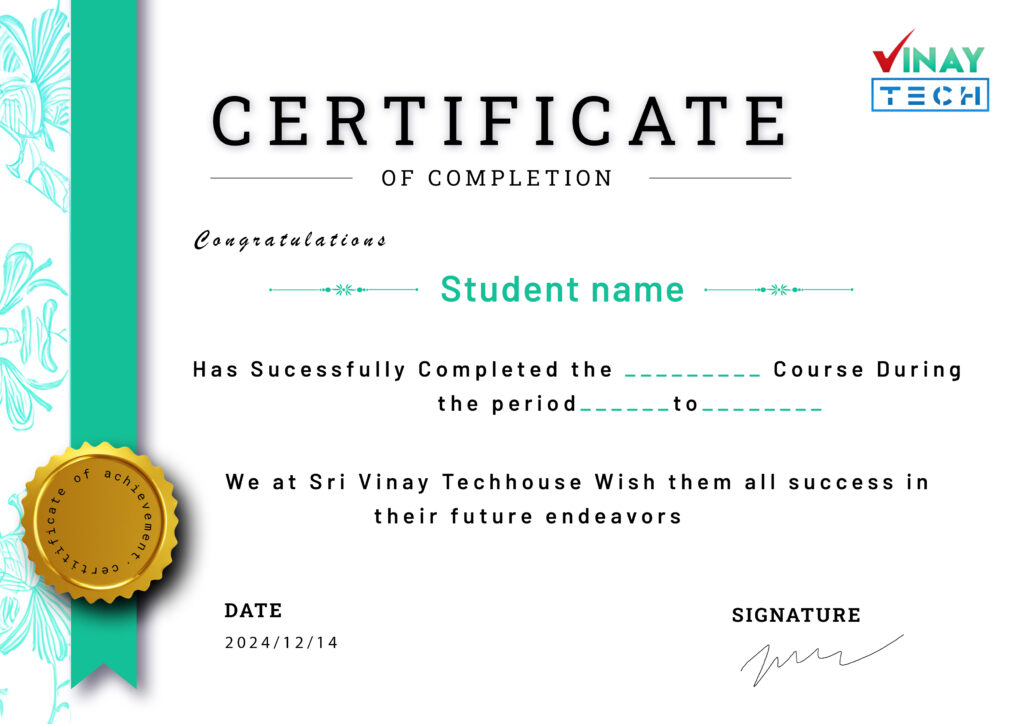
Get certified by VinayTech
Get certified by Vinay Tech and boost your career with industry-recognized certifications. Our expert-led training across various courses ensures you gain practical skills that employers value. Complete your course and earn a certificate that showcases your expertise and commitment to professional growth.
Our Learners Work At