
Transform your Career with
Power BI Online Training | Learn Power BI with Gen AI
Over 300+ reviews

Get a Free Demo
What is Microsoft Power BI?
Students can Expect
When you join our Best Power BI Online Training, you can expect:
Recorded Sessions
Why learn Microsoft Power BI Now?
Power BI has become an important tool for data analysis, business intelligence, and data visualization. As organizations increasingly depend on data to make business decisions, professionals who can transform raw data into meaningful insights are in demand across different industries.
1. Growing Demand for Data Skills
Companies use data to understand customers, track performance, analyze sales, and improve business operations. Learning Power BI helps you develop practical data analysis and reporting skills.
2. Learn AI with Power BI
Modern Power BI includes AI-powered capabilities that can help users explore data, identify insights, and work more efficiently. Learning Power BI along with AI and Gen AI concepts can help you stay updated with modern analytics workflows.
3. Powerful Data Visualization
Power BI allows you to create interactive dashboards, reports, charts, KPIs, and visualizations that make complex data easier to understand.
4. Work with Multiple Data Sources
You can connect Power BI with Excel, SQL Server, CSV files, databases, cloud services, and other data sources, making it useful for different business reporting requirements.
5. Build Practical Skills
Learning Power Query, DAX, data modeling, Power BI Desktop, and Power BI Service gives you practical skills that can be applied to real-world reporting and analytics projects.
6. Useful Across Industries
Power BI is used for reporting and analytics in areas such as IT, finance, sales, marketing, HR, healthcare, retail, and operations.
7. A Valuable Skill for Professionals
Whether you are a student, fresher, working professional, business analyst, data analyst, or someone transitioning into analytics, Power BI can be added to your technical skill set.
8. Start Building Data Analytics Skills
Learning Power BI now can help you understand the complete analytics workflow:
Excel / SQL → Power Query → Data Cleaning → Data Modeling → DAX → Visualization → Dashboard → Business Insights
If you want to build practical skills in Power BI, AI, DAX, Power Query, and real-time projects, now is a good time to start learning.
Learn Power BI with Gen AI
Modern data analytics is increasingly using artificial intelligence, and our Power BI Online Training introduces learners to relevant Gen AI and AI-powered Power BI capabilities. Learn how AI can support data analysis, reporting, visualization, and insight generation while building a strong foundation in Power BI fundamentals.
The Power BI Online Course combines traditional Power BI skills such as Power Query, DAX, data modeling, and visualization with modern AI concepts. This helps learners understand how Power BI and AI can be used together in today’s data-driven environment.
Power BI Online Training for Beginners
Career Opportunities After Power BI Online Training
Completing Power BI Online Training can help you develop valuable skills in data analysis, business intelligence, reporting, and data visualization. Organizations across different industries use Power BI to analyze business data, create interactive dashboards, monitor performance, and support data-driven decisions.
By learning Power BI Desktop, Power Query, DAX, data modeling, Power BI Service, and AI-powered analytics, you can prepare for various roles in the data and analytics domain.
Career opportunities include:
Power BI Developer: Create interactive dashboards, reports, and data visualizations based on business requirements.
Data Analyst: Analyze datasets, identify trends, and generate meaningful business insights.
Business Intelligence (BI) Analyst: Develop reports and dashboards to support business planning and decision-making.
Reporting Analyst: Prepare automated reports, track KPIs, and monitor organizational performance.
Data Visualization Specialist: Transform complex datasets into easy-to-understand charts, dashboards, and visual reports.
MIS Analyst: Manage business reporting, analyze operational data, and prepare management information reports.
Business Analyst: Understand business requirements, analyze data, and communicate insights to stakeholders.
Power BI skills can be useful in industries such as IT, banking, finance, healthcare, retail, e-commerce, marketing, and consulting.
Whether you are a fresher, graduate, working professional, or someone planning to transition into the data analytics field, Power BI Online Training with practical projects can help you build relevant technical skills and prepare for opportunities in
Graduates
Software Developers
Career Change
Available Modes
For only Recorded Sessions / Corporate Training, Contact us at +91 9859 831 831
Power BI Course Features

Expert Trainers
Comprehensive Curriculum
Hands-On Real-Time Projects
Placement Assistance
Certification
Lifetime Support
Power BI Online Training
CURRICULUM
MANDATORY Topic 1: POWER BI DEMO AND DATA WAREHOUSE FUNDAMENTALS
Data, Data Availability types in IT
IT data storage areas [File stream, Database]
Data warehouse, BI definitions and layers
Power BI existence in IT, Product services
Power BI Features, Self Service BI
Power BI Tools and Components
On-Premises vs. Cloud
Power BI Opportunities vs Support
BI history, MSBI, Azure BI, Power BI
OLAP vs. OLTP vs. Insights and Analytics
Power BI history, releases and blogs
Power BI usage in IT Companies
Microsoft Power Platform & Fabric Features
Data warehouse, Data Mart and differences
Types of data marts and real-time usage
ODS, Stage, EDW, and DW definitions
Data Lake and Blob Storages
DWH Life Cycles, DWH principles
DWH Approaches (INMON and KIMBALL)
Data Granularity, Data movement stages
MANDATORY Topic 2: DATA MODEL THEORY AND PRACTICAL
Data model, use of data model in Power BI
Business, Conceptual, Logical, Physical models
Dimension, Dimension table & types
( Conformed, RolePlay, Degenerated, Junk, SCD)
Measures & Types
(fully additive, semi additive, non additive)
Fact table & Types
(Snapshot, Incremental, Factless fact)
Schemas (star, Snow Flake, Galaxy & Hybrid)
Surrogate key and usages in real time
1:1, 1: Many, Many: Many relationships
Active, Inactive relationships
Single and Bi-directional, Cross filter
Advanced properties of fields
(sort order, date category, aggregators)
Snow Flake schema exmaples
TOPIC 1: INSTALLATION [Power BI DESKTOPS, GATEWAY, SERVER, REPORT BUILDER & DAX STUDIO]
Power BI Components
Release impact on installation
Power BI Cloud Desktop installation
Power BI Report Server Desktop installation
DAX Studio installation
Report Server installation
Paginated Report Builder Installation
Gateway Installation
TOPIC 2: WORKNG WITH POWER BI DESKTOP AND CONNECTING TO MANY DATA SOURCES
Desktop over view and Building blocks of PBI Desktop
Connecting to various sources and retrieving data
1. Flat files
2. CSV files
3.JSON files
4. Databases (SQL Server & Oracle)
5. Excel files
6. Web
7. Analysis Services Models [Tabular & Multi-dimensional model]
8. Azure SQL database and DWH
9. Python Script
10. M- Retrieval
11. Multiple files load at a time
TOPIC3: WORKING DATABASES, CUBES, MODES & CHANGING MODES
Working on data modes [very detailed] Import
Import
Direct Query
Connect Live
Mixed mode
Changing modes
Differences between Load and Edit options.
Retrive date from related data bases and cube
TOPIC4: WORKNG ON POWER BI MODES [ IMPORT, DIRECT QUERY, AND CONNECT LIVE]
Power view
Power query
Power map
Power pivot
TOPIC 5: POWER BI VIEW MENU TAB OPTIONS-RIBBON OPTIONS & REAL-TIME
New, open, save report
Export Power BI template (PBIT), PDF
Import Power BI Template, Power Query, View, Model, Visual files
Options and Settings & About
External Data: Get Data, Recent Sources, Enter Data
Transform data & edit parameters
Publishing to cloud service
Prop data AI (2025)
Quick sources
sensitivity
Report Phone Layout / Desktop View Show Gridlines, Snap Objects to Grid Locking Objects on the surface
Bookmarks creation, viewing, & using in Dashboard Selection Pane [Hiding and showing objects]
Slicer and Sync Slicers explanation with practical Performance analyzer test run
Scale to fit: Page view, Mobile: Mobile layout, page options
Show panes: Filters, Bookmarks, selection, Performance Analyzer, Sync slicers
Relationships: manage Relationships
Create roles and implement row-level security & dynamic row-level security
Page Refresh: Change detection
Parameters: New parameters
security: Manage roles, View as
Calculations: New measure, Quick measure, New column, New table
Q&A: Language, Lunguistic schema
Guided learning, documentation, training videos, blogs, communities, Power BI for developers, Support and Consulting Services
Edit interactions for the visual for cross highlighting, cross filtering, and none options.
Bring forward, send backward etc…visual option (Z-Order)
Drill down report creation
Drill one level down, multiple levels, and data drill
Visual table, Data point table
Visuals: New Page, New Visual, More Visuals
AI Visuals: Key influencers, Decomposition Tree, Smart Narrative, Q & A
Elements: Text box, Buttons, Shapes, Image
Power Platform: Paginated Report, Power Apps, Power Automate
Sparklines: Add a Sparkline
DAX studio
Refresh, Pause, Preset, Optimization
TOPIC 6: POWER BI DATASET PROPERTIES
Create hierarchies and analyzing data.
Create Groups (List, Bin)
Hide / Unhide columns usage in real-time
Consider table as Date Table
Expand and collapse columns
Incremental refresh & manage aggregations
TOPIC 7: POWER QUERY PROPERTIES [ 8 types of properties and M-Language]
Real-time practical on duplicates and references
Create groups to classify tables
Refreshing table data and enabling data to tables
Creating reusable functions
Perform data transformations by adding, removing and retaining columns, duplicates, errors.
Working on reusable functions
Merging multiple queries
Joining multiple queries to get matched, unmatched and both matched and unmatched rows.
Data types, Different types of data transformations on
a) Numeric columns
b) String columns (split strings)
c)Date columns
Full real-time examples on the data transformations
Working on Number, String, and Date
Various filter options
Working on Any, List, and Query Parameters
Working on multiple parameters
Working on cascading parameters
Working on cascading parameters
Transpose rows, reverse rows, pivot & unpivot
View options [monospaced font, column profiling, column distribution, performance monitoring]
Syntax, protocols, variables and conventions
Let, In, semicolon, and other functions
TOPIC 8: POWER BI VIEWS , FILTERS, VISUALS AND VISUAL FORMATING OPTIONS
Report View
Data View
Relationship View
DAX Query view (2024)
Visualization level
Page level
Report level
Drill though page level
Drill through cross report level
Card, Multi-row, Table, Matrix, New-card (2024)
Charts
Rounded charts: Pie, donut
Bar: Stacked, Clustered, 100% stacked
Trend: Line, Area, Stacked Area, Ribbon, Mixed Charts, Rectangle Tree Map, Funnel, scatter, Waterfall
Maps (Bubble, Filled, Shape, ARCGis, Azure map 2024)
AI Visuals: Key-influencer, De-composition, Smart Narrative, QA
Others: Sparklines, metric, Paginated Report, R, Python
Bullet Chart
Chiclet Slicer
Hierarchy Slicer
Gantt Chart
Histogram Chart
Dual KPI
Scroller
Image
Textbox
shapes
Button actions
Actions: Bookmark, page navigation, back, QA, URL, apply slicers & clear slicers
Dual KPI
Scroller
Slicers: types, usages, sync slicer
Filers & types
Edit Interactions
Parameters & What-if parameters
TOPIC 9: POWER BI CLOUD SERVICE (app.powerbi.com)
Navigation pane
Portal URL explanation
App Launcher
settings
Help & Support
Feedback
Account information
Add dashboards, reports, and work books
My workspace and properties
User app workspaces and properties
Workspace Settings and Roles
workspace Access
Create dash board
Add the below tiles
a) Image tile
b) Text box tile
c) Video tile
d) Streaming tile
e) Live page tile
f) Visual tile
g) Book mark tile
h) Workbook tile
i) Insight tile
j) Usage Metrics tile
Share and Subscribe dash board
Refresh Dashboard
Manage Alerts
Tile & dashboard properties
Real-Time dashboards practice with more DAX
Create, modify, and delete appspace
Add content (show or hide)
Audience (organization or users)
Additional Settings (copy, build)
Publish and Update app
Browse App in Web, Desktop and Mobile
END USER EXPERIECE PROVIDED
Settings (Admin Operations)
- Manage gateways & sources
- Admin portal
- item setting, Language setting, QA
- Manage group storage
- Manage Personal Storage
Refresh (on-demand and scheduled)
Security ( Row Level Security)
Download, Generate reports, Paginated reports
Dataset Setting (Gateway and others)
Parameters & Data Source Credentials
Data Connections
Cache Setting > QA setting > manage permissions
Download and Install Power BI Gateways
Install & Configure Gateways
Add Data Sources
Desktop, Service, and Mobile App
Refresh (on-demand, scheduled and automated)
Gateway trouble shooting
Refresh Flat Files & data bases
Deployment and Deployment pipelines
New and updates entities deploy
Setting, Access, History of pipelines
Edit Report, Mobile and Web View
Quick Insights and usage Metrics
Persistent Filters and Cross Report
Share, Subscribe, and Refresh
Lineage view, View Related
Comments and Chatin Teams
Manage permissions
Scorecard and Metrics or Goals Refresh Metrics
Create and modify dataflow
Power Query Operations
Common Data Model [CDM] usage
Save and use Dataflow
Refresh (On-demand, scheduled, Incremental Refresh)
TOPIC 10: DAX [DATA ANALYSIS EXPRESSIONS] DAX Expression, Query Language & DAX Studio (10 hrs)
Syntax and usage
Naming conventions, parameters
Operators, functions (15 categories)
Context transition (row, column, filter, multi-row)
DAX Queries, DAX Studio and SSMS
DAX FAQS, Optimization & Standards
Good material provided for all the functions
a) Date b) Filter c) Math & Trig d) Statistical e) Table Manipulated f) Informational g) Relationship h) Logical i) Parent Child j) Time Intelligence k) INFO Function l) Windows Functions (2022 Dec) m) NEW Functions (2024)
Statements: Evaluate, Define, Var, Order By
Calendar, Calendarauto, Day, Month, Year YearFrac, Date, Time, DateValue, TimeValue, Edate, EOMonth, Weekday, WeekOfMonth Today, UTCToday, Now, UTCNow, DateDiff
And, Or, Not, Iferror, If, Switch, In, True , False, Coalesce
Path, Pathlength, Pathcontains, Pathreverse, PathItem
Addmissingitems, Filter, Filters,Distinct, Values, Countrows, All, Allexcept, Earlier, Earliest, KeepFilters, Remove filters, Calculate, Calculatetable, AllSelected, AllNoBlankRow
Related, Relatedtable, UseRelationship, Crossfilter, ContainsStringExact
ContainsRow, Contains, ContainsString, Iseven, Isodd, Istext, UserName, UserPricipalName, LookUpValue, IsError, IsNonText, IsNumber, IsLogical, Isinscope, Isonorafter,Hasonefilter, IsCrossFiltered
Sum, Sumx, Average, AverageX, AverageA, Max,MaxX,MaxA, Min, Minx,MinA,Count, CountX, CountA, CountBlank, DistantCount, DistantCountNoBlank, Product, ProductX, Courtrows, Approximate, Distinctcount
Permut, Rank.eq, Rankx, Sampl, Statistical data, Operation functions
AddColumns, AddMissingItems, CrossJoin, CurrentGroup, DataTable, DetailRows, DistinctColumn, DistinctTable, Except,Filters, Generate, GenerateSeries, Groupby, DataTable, Except, Intersect, Union, Symmarize, Summarizecolumn, GenerateSeries, NaturalInnerJoin, NaturalLeftOuterJoin, Crossjoin, Treatas, Isempty, Row SelectColumns, Values,
Blank, Code,Unichar,Concatenate, Combinevalues, Cacatinatex, Trim, Rept, Replace, Substitute, Find, Search, Format, Mid, Left, Right, Value, Upper, Lower
TOPIC 11: ADDITIONAL SESSIONS [MICROSOFT FABRIC UNDERSTANDING, AZURE SESSIONS]
Azure cloud and introduction
Azure portal, resources, and resource groups
Azure account creation and pay-as-you-go
Azure Sql Database, Data warehouse, and Analysis Services Databases
Aure Blob and Data Lake Storages Introduction
Azure Data Factory [ADF] Introduction
ADF- Pipelines, Sources, Sync, and Azure Log Analytics Workspace
Azure Active Directory [AAD]
TOPIC 12: POWER AUTOMATE, POWER APP & POWER BI EMBEDDING
Microsoft Power Automate [Microsoft flow]
Power Automate overview
Flow.microsoft.co understanding with accounts and components
Scheduling the Dataset refresh
Implement set of operations using flow EMAIL, Dataset Refresh, Power Apps
Power Apps Overview
make.powerapps.com understanding
Understanding different apps
[Canvas, Model Driven, Portal from Blank]
Power Apps few scenarios practice
APP showing Power Bi Report [Embedding] APP to connect to report and edit details. Create and manage a data form OneDrive
Basic Material and Live Class Videos Shared
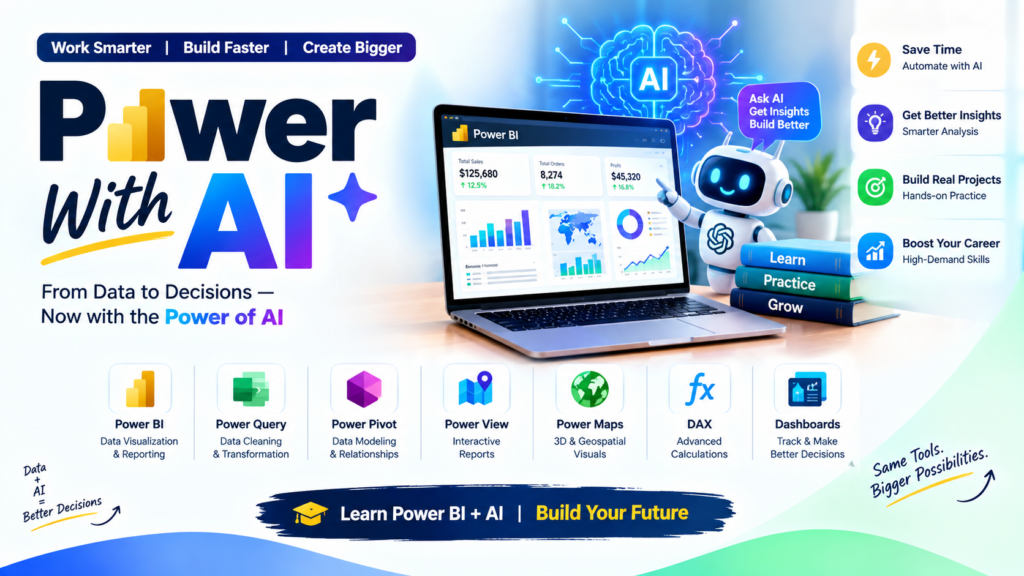
Advantages of Learning Power BI Online Training
Choosing Power BI Online Training is a convenient way to build practical skills in business intelligence, data analysis, and data visualization from anywhere. With structured online learning, you can learn Microsoft Power BI, work on practical projects, and develop skills that are useful for modern data-driven workplaces.
Learn Power BI from Anywhere
Power BI Online Training allows you to attend classes from home or your workplace without the need to travel. Online sessions provide flexibility for students, fresh graduates, and working professionals.
Learn at Your Own Pace
Online Power BI courses make it easier to review important concepts and revisit challenging topics. Recorded sessions and course materials can help you strengthen your understanding after live classes.
Develop Practical Power BI Skills
Learn essential Power BI concepts such as Power Query, DAX, data modeling, data visualization, Power BI Desktop, and Power BI Service. Practical exercises help you understand how these features are used in real-world reporting.
Work on Real-Time Projects
Hands-on projects using real-world datasets can help you practice data cleaning, transformation, analysis, dashboard development, and report creation. This gives you practical exposure beyond theoretical learning.
Learn Power BI with AI
Modern Power BI workflows increasingly include AI-powered analytics and generative AI tools. Learning Power BI alongside AI concepts can help you understand how technology can support data exploration, reporting, and business insights.
Flexible for Working Professionals
Online training can fit around your existing schedule. Working professionals can learn new Power BI skills without taking a long break from their current responsibilities.
Build Job-Relevant Skills
Power BI Online Training can help you develop skills relevant to roles such as Power BI Developer, Data Analyst, Business Intelligence Analyst, Reporting Analyst, and Data Visualization Specialist.
Improve Your Data Visualization Skills
Learn how to transform raw data into interactive reports, dashboards, charts, KPIs, and business insights. These skills can help you communicate data more effectively to stakeholders.
Access Learning Resources
Online learners can use course materials, practice exercises, project datasets, and recorded sessions to reinforce their learning and continue practicing after live training.
Start Your Power BI Learning Journey Online
Whether you are a beginner, student, fresher, working professional, or aspiring data analyst, Power BI Online Training can provide a structured path to learn business intelligence and data visualization. With practical projects, DAX, Power Query, data modeling, Power BI Service, and AI concepts, you can build a strong foundation for working with business data.
Why Choose Power BI Online Training with Vinay Tech House?
Live Online Training – Learn Power BI from anywhere with instructor-led online sessions
Practical Projects – Work with real-world datasets and industry-relevant projects
Complete Power BI Skills – Learn Power Query, DAX, data modeling, dashboards, and Power BI Service
AI-Powered Learning – Explore Power BI with modern AI and Gen AI concepts
Recorded Sessions – Access learning materials and recorded sessions for revision
Interview Support – Get guidance for resume building and Power BI interview preparation
Course Completion Certificate – Receive a certificate after successfully completing the training
Power BI Online Training
Power BI Online Training helps students, freshers, and working professionals learn Microsoft Power BI through practical training. Learn Power BI Desktop, Power Query, DAX, data modeling, dashboards, Power BI Service, and AI-powered analytics. Work with real-world datasets and projects while accessing online classes, recorded sessions, and learning materials. Build practical skills for data analytics and business intelligence roles.
Power BI Training in Hyderabad
Power BI Training in Hyderabad helps students, freshers, and working professionals learn Microsoft Power BI through practical training. Learn Power BI Desktop, Power Query, DAX, data modeling, dashboards, Power BI Service, and AI-powered analytics. Work on real-world datasets and projects to build practical skills in data analytics, business intelligence, and data visualization
Why Join Power BI Online Training?
Joining Power BI Online Training helps students, freshers, and working professionals build practical skills in data analytics and business intelligence. Learn Power BI, Power Query, DAX, data modeling, dashboards, data visualization, Power BI Service, and AI-powered analytics through flexible online classes.
Learn Power BI from anywhere with online instructor-led training.
Work on real-world Power BI projects and datasets.
Develop practical skills in DAX, Power Query, and data visualization.
Learn how to create interactive Power BI reports and dashboards.
Explore AI and Gen AI features with Power BI.
Access recorded sessions and learning materials for revision.
Prepare for Power BI and Data Analyst interviews.
Build job-relevant skills for data analytics and business intelligence roles.
Power BI Online Training
Frequently Asked Questions
You can learn Power BI Desktop, Power Query, DAX, data modeling, dashboards, data visualization, Power BI Service, and AI concepts
Yes. The training can start with Power BI fundamentals and gradually cover advanced topics such as DAX, Power Query, and data modeling
Get certified by VinayTech
Upon successful completion of the course, you will receive a Vinay Tech Course Completion Certificate. This certification enhances your resume and can significantly boost your chances of securing top job roles in leading multinational companies (MNCs). The certificate is available both as a digital copy and a printable hard copy, providing flexibility based on your needs.

Our Learners Work At









Related Courses